Call Jasper Report / Ireport From Java Application
Call Jasper Report / Ireport From Java Application Example describes about How to call Jasper Report and Ireport from a java application.
Jasper-Reports is a free reporting engine that could be written to screen, or to a printer or as HTML, PDF, RTF, Microsoft Excel, XML files, CSV format and ODT files.
Jasper-Report is using in Java related applications, including Web and Enterprise applications, to develop dynamic reports. It reads its instructions from jasper file (compiled) or XML dynamically
We can generate reports using two ways,
1) From "JRXML" (Source) file
2) From "Jasper" (Compiled) file
Required Libraries
You need to download
- JDK 6
- iReport-4.1.1 for designing the report
Following jar must be in classpath (Available from ireport installation directory)
- commons-beanutils-1.8.2.jar
- commons-collections-3.2.1.jar
- commons-digester-1.7.jar
- commons-logging-1.1.jar
- groovy-all-1.7.5.jar
- iText-2.1.7.jar
- jasperreports-4.1.1.jar
1) Create PDF Report From JRXML File
JRXML file is a JasperReports Document. JRXML is the XML file format of JasperReport, which can be coded manually, generated, or created using a tools like IReport, JasperAssistant etc
Execution of report from JRXML file will be very slow, as it need to compile before the execution
import java.util.HashMap;
import net.sf.jasperreports.engine.JREmptyDataSource;
import net.sf.jasperreports.engine.JRException;
import net.sf.jasperreports.engine.JasperExportManager;
import net.sf.jasperreports.engine.JasperFillManager;
import net.sf.jasperreports.engine.JasperPrint;
// Java Program To Call Jasper Report
public class PdfFromXmlFile {
public static void main(String[] args) throws JRException, IOException {
JasperReport jasperReport = JasperCompileManager.compileReport("report.jrxml");
JasperPrint jasperPrint = JasperFillManager.fillReport(jasperReport,new HashMap(), new JREmptyDataSource());
JasperExportManager.exportReportToPdfFile(jasperPrint, "sample.pdf");
}
}
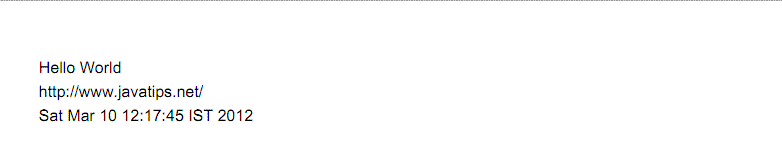
Output
2) Create PDF Report From Jasper File
import java.util.HashMap;
import net.sf.jasperreports.engine.JREmptyDataSource;
import net.sf.jasperreports.engine.JRException;
import net.sf.jasperreports.engine.JasperExportManager;
import net.sf.jasperreports.engine.JasperFillManager;
import net.sf.jasperreports.engine.JasperPrint;
// How To Invoke Ireport From Java Application
public class PdfFromJasperFile {
public static void main(String[] args) throws JRException, IOException {
JasperPrint jasperPrint = JasperFillManager.fillReport("report.jasper", new HashMap<String, Object>(),
new JREmptyDataSource());
JasperExportManager.exportReportToPdfFile(jasperPrint, "sample.pdf");
}
}
Output
Hi I tried copying the same and changed only the name of the jasper file. yet there is an exception.. Exception in thread "main" java.lang.NoClassDefFoundError: org/apache/commons/logging/LogFactory at net.sf.jasperreports.engine.util.JRLoader.<clinit>(JRLoader.java:61) at net.sf.jasperreports.engine.JasperFillManager.fillReport(JasperFillManager.java:536) at MyReportViewer.main(MyReportViewer.java:13) Caused by: java.lang.ClassNotFoundException: org.apache.commons.logging.LogFactory at java.net.URLClassLoader$1.run(Unknown Source) at java.security.AccessController.doPrivileged(Native Method) at java.net.URLClassLoader.findClass(Unknown Source) at java.lang.ClassLoader.loadClass(Unknown Source) at sun.misc.Launcher$AppClassLoader.loadClass(Unknown Source) at java.lang.ClassLoader.loadClass(Unknown Source) ... 3 more please helpHi all; I tried it, I downloaded all the .jar files but i'm still getting exceptions : xception in thread "main" java.lang.NullPointerException at net.sf.jasperreports.engine.JRPropertiesMap.readObject(JRPropertiesMap.java:185) at sun.reflect.NativeMethodAccessorImpl.invoke0(Native Method) at sun.reflect.NativeMethodAccessorImpl.invoke(NativeMethodAccessorImpl.java:39) at sun.reflect.DelegatingMethodAccessorImpl.invoke(DelegatingMethodAccessorImpl.java:25) at java.lang.reflect.Method.invoke(Method.java:597) at java.io.ObjectStreamClass.invokeReadObject(ObjectStreamClass.java:974) at java.io.ObjectInputStream.readSerialData(ObjectInputStream.java:1848) at java.io.ObjectInputStream.readOrdinaryObject(ObjectInputStream.java:1752) at java.io.ObjectInputStream.readObject0(ObjectInputStream.java:1328) at java.io.ObjectInputStream.defaultReadFields(ObjectInputStream.java:1946) at java.io.ObjectInputStream.readSerialData(ObjectInputStream.java:1870) at java.io.ObjectInputStream.readOrdinaryObject(ObjectInputStream.java:1752) at java.io.ObjectInputStream.readObject0(ObjectInputStream.java:1328) at java.io.ObjectInputStream.readArray(ObjectInputStream.java:1666) at java.io.ObjectInputStream.readObject0(ObjectInputStream.java:1322) at java.io.ObjectInputStream.defaultReadFields(ObjectInputStream.java:1946) at java.io.ObjectInputStream.readSerialData(ObjectInputStream.java:1870) at java.io.ObjectInputStream.readOrdinaryObject(ObjectInputStream.java:1752) at java.io.ObjectInputStream.readObject0(ObjectInputStream.java:1328) at java.io.ObjectInputStream.readArray(ObjectInputStream.java:1666) at java.io.ObjectInputStream.readObject0(ObjectInputStream.java:1322) at java.io.ObjectInputStream.defaultReadFields(ObjectInputStream.java:1946) at java.io.ObjectInputStream.readSerialData(ObjectInputStream.java:1870) at java.io.ObjectInputStream.readOrdinaryObject(ObjectInputStream.java:1752) at java.io.ObjectInputStream.readObject0(ObjectInputStream.java:1328) at java.io.ObjectInputStream.readObject(ObjectInputStream.java:350) at net.sf.jasperreports.engine.util.JRLoader.loadObject(JRLoader.java:88) at net.sf.jasperreports.engine.JasperFillManager.fillReport(JasperFillManager.java:515) at javaapplication2.JavaApplication2.main(JavaApplication2.java:16)@chitra, On this example, i am using JREmptyDataSource which only helps on static data, if you need dynamic report then you need to pass the exact datasource or connection into JasperFillManager JasperPrint jasperPrint = JasperFillManager.fillReport("report.jasper", new HashMap<String, Object>(), new JREmptyDataSource());I had created a report using i report. But it displays me a blank page.. This is my code..... public void report(){ String jasperFileName = C:/Users/PRASSAD/Documents/vgquenim/src/report/report2.jasper; try { String reportSource = C:/Users/PRASSAD/Documents/vgquenim/src/report/report2.jrxml; Map params = new HashMap(); JasperReport jasperReport = JasperCompileManager.compileReport(reportSource); System.out.println(jasperReport); JasperPrint jasperPrint = JasperFillManager.fillReport(jasperReport, params, new JREmptyDataSource()); System.out.println(jasperPrint); JasperViewer.viewReport(jasperPrint, false); JasperPrint jprint = (JasperPrint) JasperFillManager.fillReport(jasperFileName, params, con); System.out.println(jprint); // Export pdf file JasperExportManager.exportReportToPdfFile(jprint, C:abc.pdf); System.out.println(Done exporting reports to pdf); } catch (Exception e) { System.out.println(e.getMessage()); } This is the error i get run: Connected Successfully Connected Successfully C:/Users/PRASSAD/Documents/vgquenim/src/report/report2.jasper C:/Users/PRASSAD/Documents/vgquenim/src/report/report2.jrxml {} 14/01/20 12:09:08 WARN component.ComponentsEnvironment: Found two components for namespace http://jasperreports.sourceforge.net/htmlcomponent 14/01/20 12:09:08 WARN component.ComponentsEnvironment: Found two components for namespace http://jasperreports.sourceforge.net/htmlcomponent 14/01/20 12:09:08 WARN component.ComponentsEnvironment: Found two components for namespace http://jasperreports.sourceforge.net/htmlcomponent net.sf.jasperreports.engine.JasperPrint@a9014d 14/01/20 12:09:13 WARN query.JRJdbcQueryExecuter: The supplied java.sql.Connection object is null. net.sf.jasperreports.engine.JasperPrint@1151346 Done exporting reports to pdfHi,Thanks for this nice Tutorial i create my pdf from ireport 4.7.0 with xml datasource but i have this error This is my code ************************************************* import java.io.IOException; import java.util.HashMap; import java.util.jar.JarException; import net.sf.jasperreports.engine.xml.*; import net.sf.jasperreports.engine.JRException; import net.sf.jasperreports.engine.JasperCompileManager; import net.sf.jasperreports.engine.JasperExportManager; import net.sf.jasperreports.engine.JasperFillManager; import net.sf.jasperreports.engine.JasperPrint; import net.sf.jasperreports.engine.JasperReport; import net.sf.jasperreports.engine.data.JRXmlDataSource; // Java Program To Call Jasper Report public class xmlToPdf { public static void main(String[] args) throws JarException, IOException, JRException { JasperReport jasperReport = JasperCompileManager.compileReport("C:/Users/user/Desktop/rapport.jrxml"); JasperPrint jasperPrint = JasperFillManager.fillReport(jasperReport,new HashMap(), new JRXmlDataSource("C:/Users/imen.zayeni/Desktop/rapport.xml")); JasperExportManager.exportReportToPdfFile(jasperPrint, "C:/Users/user/Desktop/rapport.pdf"); } } *************************************************** i get this message: Exception in thread "main" net.sf.jasperreports.engine.JRException: com.sun.org.apache.xerces.internal.impl.io.MalformedByteSequenceException: Invalid byte 2 of 3-byte UTF-8 sequence. at net.sf.jasperreports.engine.xml.JRXmlLoader.loadXML(JRXmlLoader.java:251) at net.sf.jasperreports.engine.xml.JRXmlLoader.loadXML(JRXmlLoader.java:230) at net.sf.jasperreports.engine.xml.JRXmlLoader.load(JRXmlLoader.java:218) at net.sf.jasperreports.engine.xml.JRXmlLoader.load(JRXmlLoader.java:172) at net.sf.jasperreports.engine.xml.JRXmlLoader.load(JRXmlLoader.java:156) at net.sf.jasperreports.engine.JasperCompileManager.compile(JasperCompileManager.java:171) at net.sf.jasperreports.engine.JasperCompileManager.compileReport(JasperCompileManager.java:448) at xmlToPdf.main(xmlToPdf.java:20) Caused by: com.sun.org.apache.xerces.internal.impl.io.MalformedByteSequenceException: Invalid byte 2 of 3-byte UTF-8 sequence. at com.sun.org.apache.xerces.internal.impl.io.UTF8Reader.invalidByte(Unknown Source) at com.sun.org.apache.xerces.internal.impl.io.UTF8Reader.read(Unknown Source) at com.sun.org.apache.xerces.internal.impl.XMLEntityScanner.load(Unknown Source) at com.sun.org.apache.xerces.internal.impl.XMLEntityScanner.scanData(Unknown Source) at com.sun.org.apache.xerces.internal.impl.XMLDocumentFragmentScannerImpl.scanCDATASection(Unknown Source) at com.sun.org.apache.xerces.internal.impl.XMLDocumentFragmentScannerImpl$FragmentContentDriver.next(Unknown Source) at com.sun.org.apache.xerces.internal.impl.XMLDocumentScannerImpl.next(Unknown Source) at com.sun.org.apache.xerces.internal.impl.XMLNSDocumentScannerImpl.next(Unknown Source) at com.sun.org.apache.xerces.internal.impl.XMLDocumentFragmentScannerImpl.scanDocument(Unknown Source) at com.sun.org.apache.xerces.internal.parsers.XML11Configuration.parse(Unknown Source) at com.sun.org.apache.xerces.internal.parsers.XML11Configuration.parse(Unknown Source) at com.sun.org.apache.xerces.internal.parsers.XMLParser.parse(Unknown Source) at com.sun.org.apache.xerces.internal.parsers.AbstractSAXParser.parse(Unknown Source) at com.sun.org.apache.xerces.internal.jaxp.SAXParserImpl$JAXPSAXParser.parse(Unknown Source) at org.apache.commons.digester.Digester.parse(Digester.java:1892) at net.sf.jasperreports.engine.xml.JRXmlLoader.loadXML(JRXmlLoader.java:243) ... 7 more Can you help me out please ?Hi Admin, I have implied the same coding i was using JRXML file. I get this following error log4j:WARN No appenders could be found for logger (net.sf.jasperreports.engine.xml.JRXmlDigesterFactory). log4j:WARN Please initialize the log4j system properly. my code is public void PDF(ActionEvent actionEvent) throws JRException{ JasperReport jasperReport = JasperCompileManager.compileReport("C:/Users/Senthil/JaspersoftWorkspace/MyReports/NewFriend.jrxml"); JasperPrint jasperPrint = JasperFillManager.fillReport(jasperReport,new HashMap(), new JREmptyDataSource()); JasperExportManager.exportReportToPdfFile(jasperPrint, "sample.pdf"); }Tengo el siguiente "nuevo" problema. Tengo la siguiente query "SELECT dr.Num_Recibo, dr.Cantidad,dr.Descripcion,dr.Precio_Unitario, dr.Precio_Total, r.Num_Recibo, r.Fecha,r.Apellido,r.Nombre, r.Dni FROM descripcionrecibo dr, recibo r WHERE dr.Num_Recibo = r.Num_Recibo AND r.Dni = $P{dniParam};" en la cual tengo un parámetro. mi porción de código en Netbeans 8 en la que llamo al reporte es la siguiente: " JasperReport jr = JasperCompileManager.compileReport(System.getProperty("user.dir") + "/src/ar/com/reportransp/reportes/ctaPorDni.jrxml"); Map parametro = new HashMap(); parametro.put("dniParam", jtxtCampo1.getText()); JasperPrint jp = JasperFillManager.fillReport(jr, parametro, conn); JasperViewer jv = new JasperViewer(jp, false); jv.setVisible(true);" Cuando ejecuto el proyecto, me da el mensaje "EL DOCUMENTO NO TIENE PAGINAS", lo cual es falso porque si las tiene. Lo he probado al mismo reporte en ireport 5.5.0 con la misma query y funciona correctamente, también he probado la query en mysql y también funciona. Por favor necesito ayuda!!! Muchas gracias.- Slds